AXOR

AXOR X ALTOR APEX SMART BLUETOOTH FULL FACE HELMET

Regular price Rs. 7,910.00
Tax included Shipping calculated at checkout.

COLOUR
SIZE

Pickup available at CHENNAI

Usually ready in 2-4 days

Delivery and Shipping

Add some general information about your delivery and shipping policies.

Add a stand out message for your customers

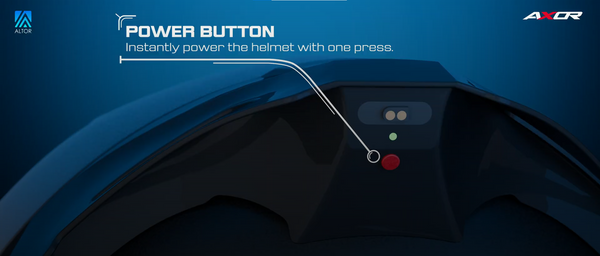
Power On and Off Your Helmet

• Hold the power button (on the spoiler) for 3 seconds.
• The light will turn blue, and you’ll hear, “Welcome to smart riding.”
• When it changes to green, the helmet will say, “Pairing.”

• Hold the power button for 3 seconds.
• The light will turn off, and you’ll hear, “Goodbye.”

Pairing the Helmet with Smartphone

• Open Bluetooth settings on your smartphone.
• Tap ‘Smart Riding Assistant.’
• You’ll hear, “Connected.”

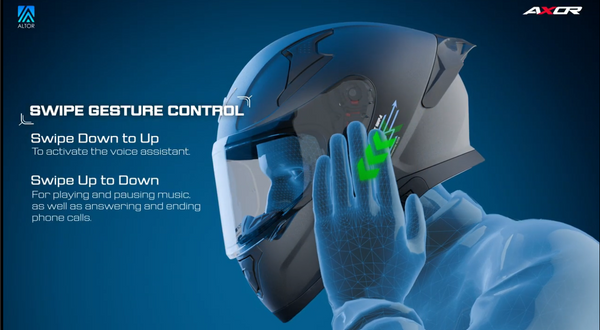
Answer/Decline Calls with a Swipe

Answer/Decline Calls with a Swipe
• Answer a Call: Swipe top to bottom on the left smart swipe section.
• Hang-up Call: Swipe top to bottom on the left smart swipe section.
• Decline a Call: Swipe bottom to top on the left smart swipe section, while already on a call.

Activate Voice Assistant & Play/Pause Music

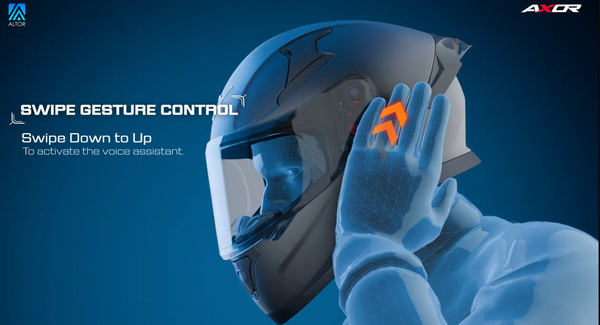
Activate Your Voice Assistant
• Swipe bottom to top on the left smart swipe section. Give voice commands like:
• “Take me to the nearest petrol pump.”
• “Turn up the music volume.”
• Audio feedback confirms your actions.

Play/Pause Music
• Swipe top to bottom on the left Smart swipe section to play or pause music.

Frequently Asked Questions